


Invitation card Maker, Design
Splendid App Maker
I like invitation tools that remove the awkward middle ground between a plain text message and a professionally printed card. Invitation card Maker, Design takes that practical approach: it is an Events app for creating digital invitations and greeting cards, with birthday parties and weddings clearly in mind. I found it most useful when I needed something attractive quickly, without learning a full graphic-design program or asking guests to open a complicated event page.
The app is free to start, has an Everyone content rating, and is made by Splendid App Maker. Its strong 4.9 average from around 53 thousand ratings and more than 5 million installs suggest that the simple invitation-maker format is working for a large audience. My own impression is more specific: this is a convenient card editor for personal occasions, especially when speed and a polished visual result matter more than deep design control.
How the basic invitation workflow feels in everyday use
The most sensible way to use the app is to begin with the occasion rather than with decoration. I first decide whether I am making a birthday invitation, a wedding-related card, or a general greeting. That choice keeps the design focused and prevents the common mistake of filling a card with attractive elements that do not help the guest understand the event.
From there, I treat the card as a short communication task. The essential information should be settled before I spend time adjusting the appearance: whose event it is, when it happens, where it happens, and what guests need to know. This sounds obvious, but invitation editors make it tempting to start with colors and fonts. In practice, a beautiful card with vague timing or an incomplete location creates more follow-up messages than it saves.
The app’s main strength is that it lets a casual user work visually. Instead of composing a message in a blank document, I can shape a card around the occasion and then adapt the wording to fit. That makes it approachable for someone who wants a birthday design for a family group or a wedding announcement that feels more personal than a copied message.
Related News

Instagram Is No Longer a Photo App. It Is an Attention Engine

Microsoft Teams Mobile: When Collaboration Becomes Navigation

How the NFL App Adapts to Android and iOS Updates

Temu: Elevate Your Shopping Experience to Billionaire Status

Why Traffic Rider Works Best as a Precision Reflex Game

How Google’s Find Hub Transforms Everyday Searches
I recommend writing the shortest useful version first. For a birthday, that might be the name, age or milestone if relevant, date, time, venue, and a reply instruction. For a wedding-related card, the names, ceremony details, reception information, and any practical note are more important than decorative wording. Once the text is correct, I can judge whether the layout still feels balanced.
A realistic everyday example is a last-minute children’s party. A parent may remember the invitations after school, need to send them that evening, and want each guest’s family to receive the same clear details. This app is well suited to that situation because the creative work can stay compact. I would prepare one clean design, proofread it on the phone, and share the finished card through the usual messaging channel rather than printing individual copies.
That workflow also reveals an important trade-off. A digital card is fast and easy to revise, but it depends on recipients seeing the message and reading the image comfortably. If the guest list includes people who prefer printed invitations, or if the event requires formal stationery, a dedicated print service or a more advanced design application may be a better choice.
Gallery
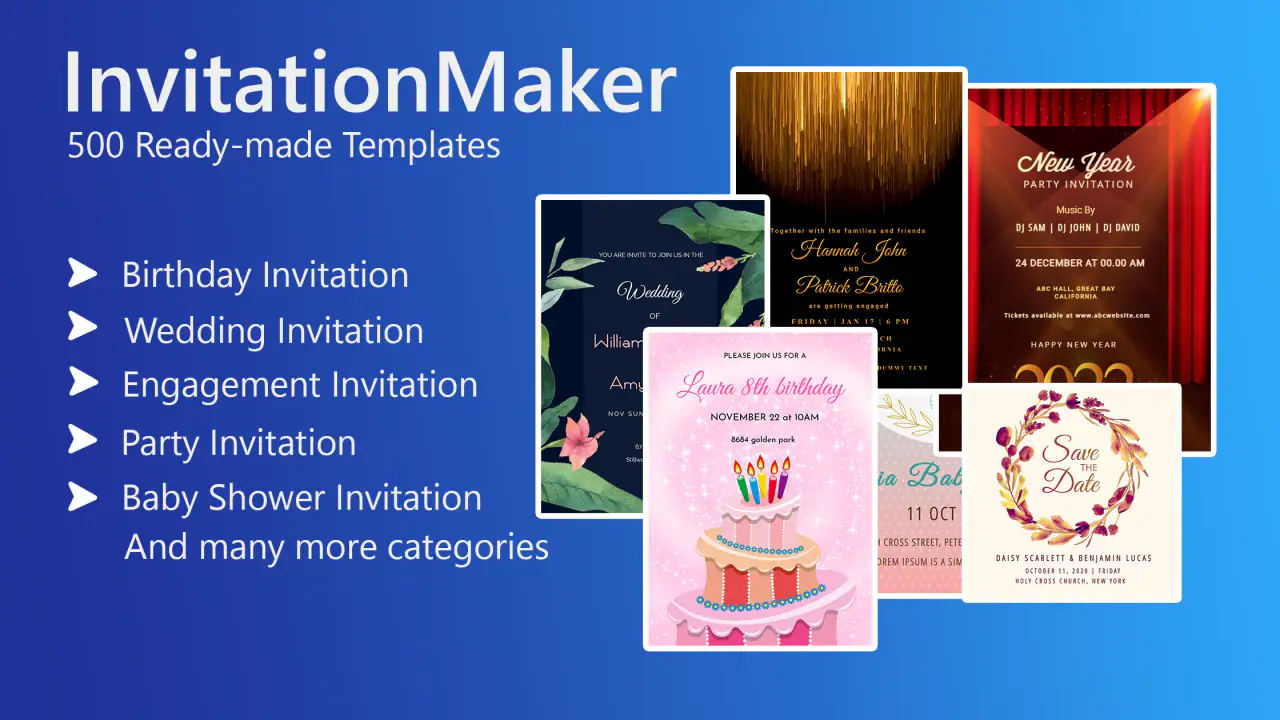
What I check before sending a card
I always inspect the card at the size in which a recipient is likely to view it, not only while zoomed in during editing. Small text can look fine while designing and become tiring on a phone screen. I also check whether the most important detail stands out immediately. If I have to search for the date, the design is too busy, regardless of how attractive the background looks.
Another useful habit is to read the invitation as a guest would. I look for missing punctuation, inconsistent capitalization, and wording that assumes everyone already knows the plan. A card maker can improve presentation, but it cannot rescue incomplete event information. The app is strongest when I use it as the final presentation layer for information I have already organized.
Settings and choices that deserve attention
Although this is not a full desktop publishing suite, I still spend time checking the available editing choices instead of accepting the first attractive arrangement. The most important decisions are visual hierarchy, text length, contrast, and the relationship between the occasion and the decoration. A wedding invitation usually benefits from restraint, while a child’s birthday card can carry more color and playful energy without feeling out of place.
Text length is particularly important. If I try to include every instruction, the card can become crowded and difficult to scan. I prefer putting the essential invitation on the card and keeping extra conversation in the accompanying message. This is one of the best ways to make a template feel personal without forcing too much information into a limited canvas.
Contrast is worth checking in several lighting conditions. A pale typeface over a detailed background may look elegant in a bright room but become hard to read outdoors or on a dimmed screen. I would rather choose a simpler background and strong readability than sacrifice clarity for a fashionable look. This matters even more when older relatives are part of the audience.
The app is free, which makes experimenting accessible, but in-app purchases range from $2.49 to $12.99 per item. I would therefore make the creative plan before selecting optional paid material. A useful approach is to decide what the card must accomplish, then see whether the free choices already meet that need. If they do, there is no reason to spend just to add another decorative variation.
That pricing structure also affects how I compare it with alternatives. A completely manual editor may offer more control but require more time. A template service may provide a wider library or stronger export options, but it can also introduce subscriptions or a more complicated workflow. Here, the sensible question is not whether this app has every design feature; it is whether the available choices are enough for the invitation I actually need.
I also check the app’s compatibility before recommending it to someone with an older phone. It supports Android 7.0 and later, so it is not limited to recent devices. The current version is 3.3, which gives the app a straightforward, established feel rather than making it seem like a brand-new experiment. For a family sharing one older device, that broad compatibility can be more useful than an ambitious editor that demands newer hardware.
Repeatable habits that make the process faster
Experienced use is less about discovering a secret button and more about repeating a reliable sequence. I keep the event wording ready in a note, including the exact date, time, address, and reply details. Then I open the editor for the visual work instead of switching back and forth while trying to remember information. This reduces typing mistakes and makes it easier to create a second version for another group of guests.
I also separate design decisions into two passes. In the first pass, I choose the general look and make sure the text fits. In the second, I refine spacing, emphasis, and small details. Trying to perfect everything at once often leads to unnecessary changes. A card may look more impressive after extra decoration, but it may communicate less effectively.
For recurring occasions, I would use a consistent personal style rather than reinventing the design every time. A family could use similar colors for children’s parties, or a small community group could adopt a recognizable visual pattern for announcements. Even without assuming any special project-management feature, this habit makes future cards faster because I already know what tone and structure work for the audience.
Another efficient pattern is to create the clearest version first, then make a more decorative variation only if there is a real reason. The first version becomes a useful reference for checking whether the second still contains all the essential information. This prevents decoration from gradually pushing practical details out of the card.
I would also prepare different wording for different recipients rather than changing the entire design. Close friends may need a warm personal note, while a wider group may need a direct instruction about replies or arrival time. Keeping the visual structure stable while adjusting the message saves effort and reduces the chance of accidentally changing the event details.
Where the app reaches its limits
My main reservation is that a simple invitation editor should not be mistaken for a complete design studio. If I need precise alignment, detailed photo retouching, brand guidelines, complex layers, or professional print preparation, I would choose a more specialized tool. Invitation card Maker, Design is aimed at getting a good-looking digital result without a steep learning curve, and that focus is both its appeal and its boundary.
It is also not the ideal choice when the event depends on RSVP tracking, guest-list management, reminders, or calendar coordination. A card can tell people what is happening, but it does not replace an event-management system. For a small family gathering, that may be perfectly fine. For a large wedding or a formal organization, I would pair the design with a separate method for responses and updates.
There is a similar limitation with frequent revisions. If the venue, time, or guest instructions are likely to change repeatedly, sending a static image can create confusion because earlier versions may remain in chat histories. In that situation, a shareable event page or editable online invitation is more practical. I would use this app once the core details are stable, not while the plan is still moving.
Readability can become another issue when users prioritize decoration too heavily. The editor may make it easy to produce something visually rich, but the responsibility for clear wording remains with me. I would avoid long paragraphs, low-contrast text, and designs that make the guest search for the actual invitation. The best result is not necessarily the most elaborate one; it is the one that can be understood at a glance.
Finally, people who want a highly distinctive design may outgrow the available approach. Template-based editing is efficient because it gives the user a starting point, but that same structure can make unusual layouts harder to achieve. If originality and exact control are more important than speed, a general design application will probably be the better investment of time.
Who will appreciate it most
I would recommend this app to people who regularly need attractive digital cards but do not consider themselves designers. Parents preparing party invitations, couples sharing wedding-related announcements, relatives making greeting cards, and small groups organizing informal events all fit its strengths. It is especially useful when the card needs to be ready soon and the audience is comfortable receiving an image through a phone.
The Everyone rating also makes it a natural option for a broad household audience. A family member who is not comfortable with complicated creative software can understand the basic purpose quickly and concentrate on the event itself. That accessibility is more valuable than advanced controls when several people may need to create or review cards.
I would be more cautious about recommending it to a professional stationery designer, a business that needs strict visual consistency, or an organizer who requires built-in response tracking. Those users may save time with a more powerful or more specialized platform, even if the first setup takes longer.
The app’s popularity is reassuring, with more than 5 million installs, but I would not treat that alone as proof that it fits every invitation project. Its high 4.9 average across around 53 thousand ratings indicates strong general satisfaction, yet the right choice still depends on whether the event needs a quick digital card or a complete invitation system.
My verdict after building a repeatable workflow
Invitation card Maker, Design works best when I give it a clear, modest job: turn organized event information into a pleasant digital card that is easy to send. I appreciate that it does not require me to approach the task like a professional designer. The workflow is approachable, the free entry point lowers the risk of trying it, and the focus on birthdays, weddings, and greetings matches the occasions most people actually need.
The strongest result comes from treating clarity as the first design feature. I prepare the wording, select a style that matches the event, check contrast and small-screen readability, and only then consider optional decoration. That habit makes the app feel faster and produces better cards than endlessly changing visual elements without a communication plan.
Compared with a plain messaging app, it gives an invitation more personality. Compared with a full design suite, it is easier to approach but less flexible. Compared with an event-management service, it presents information attractively but does not take over the organizational side. Those distinctions make the decision fairly simple: use it for a polished, shareable card; choose something else when you need advanced production or event administration.
For my everyday recommendation, I would say yes, especially for a birthday or informal wedding announcement that needs to look thoughtful without taking an evening to produce. I would keep the message concise, verify every practical detail before sending, and avoid paying for extras until the basic design already works. Used that way, Invitation card Maker, Design is a useful little Events app rather than an overcomplicated creative project.
Splendid App Maker has kept the concept focused, and the current version 3.3 remains a sensible fit for people using Android 7.0 or newer. If your priority is speed, friendly presentation, and a card that feels more deliberate than a copied text, it is worth trying. If your priority is total control, live updates, formal print quality, or RSVP management, I would look beyond it before committing to your event workflow.
FAQs for Invitation card Maker, Design
What are the main features of the Invitation Card Maker app?
The Invitation Card Maker app offers a wide range of features, including customizable templates for weddings, birthdays, events, and more. Users can add text, images, and stickers to personalize their invitations. The app also supports various formats for easy sharing via social media or email, and provides printing options for physical copies.
Is the Invitation Card Maker app easy to use for beginners?
Yes, the app is designed with user-friendliness in mind, making it accessible even for beginners. It features an intuitive interface with drag-and-drop functionality. Tutorials and tooltips are available to guide users through the process of creating beautiful invitations, ensuring a smooth experience regardless of skill level.
Can I use my own images and fonts in the Invitation Card Maker?
Absolutely, the app allows users to upload their own images and fonts to create truly personalized invitations. This feature enables users to match their design with specific themes or events, giving them the freedom to express their creativity without limitations imposed by pre-set options.
Are there in-app purchases or subscriptions required for full access?
The Invitation Card Maker app is free to download and offers a variety of basic templates and features at no cost. However, premium templates and advanced design options are available through in-app purchases or a subscription model. This allows users to choose the level of investment they are comfortable with based on their needs.
Does the app support multiple languages and regional formats?
Yes, the Invitation Card Maker app supports multiple languages and regional date formats, making it versatile for users worldwide. This feature ensures that users can create invitations that are culturally relevant and suitable for their specific audience, enhancing the app's global appeal.
Pros
- Easy-to-use interface for quick design.
- Variety of templates for all occasions.
- Customizable fonts and colors.
- High-quality export options available.
- No internet required for basic features.
Cons
- Limited free template options.
- Some features locked behind paywall.
- Occasional ads disrupt workflow.
- Limited integration with social media.
- No cloud saving for projects.


